Drupal 10.2.4+: Cache Metadata Bubbling Is Now Automatic
One of the most frustrating aspects of theming Drupal has historically been managing cache metadata when rendering individual fields in custom templates. For over a decade, this was a known problem with a well-documented workaround. Starting with Drupal 10.2.4 (and continuing through Drupal 11), this problem has been fundamentally solved at the core level.
The good news: You no longer need content|without() filters or manual cache propagation code. If you’re using {{ content.field_name }} in your templates, cache metadata now bubbles automatically.
The Problem (And PreviousNext’s Answer)
For over a decade, the definitive guide to cache tag bubbling was a 2017 article by PreviousNext: Ensuring Drupal 8 Block Cache Tags Bubble Up to Page Cache. This article became essential reading for Drupal developers because it documented a real, frustrating problem:
On our site we had a Block Content entity embedded in the footer that contained an Entity Reference field… The issue was that if the admin edited this block and changed the referenced authors, or the order of the authors - the changes didn’t reflect for anonymous users until the page cache was cleared.
Sound familiar? This was the problem everyone faced. You wanted to render individual fields in a custom layout, but cache metadata wouldn’t bubble:
{# You want to render individual fields in a custom layout #}
<div class="featured">
  {{ content.field_intro }}
</div>

<div class="sidebar">
  {{ content.field_image }}
</div>

{# But now the page cache won't invalidate when these fields change! #}
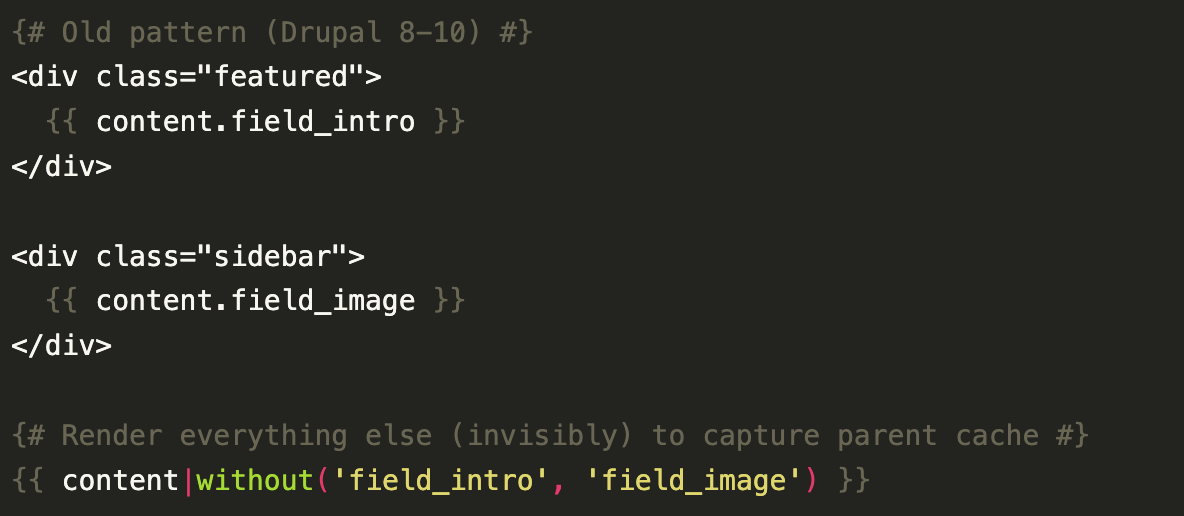
The PreviousNext article documented the solution: the content|without() workaround. Force all the fields you didn’t render to go through the render system anyway, just invisibly:
{# Old pattern (Drupal 8-10) #}
<div class="featured">
  {{ content.field_intro }}
</div>

<div class="sidebar">
  {{ content.field_image }}
</div>

{# Render everything else (invisibly) to capture parent cache #}
{{ content|without('field_intro', 'field_image') }}
This article was referenced thousands of times by Drupal developers and became the gold standard for understanding cache tag propagation. It solved a real problem, but it also exposed a fundamental limitation in Drupal’s rendering system.
What Changed in Drupal 10.2.4
On February 28, 2024, this landed in core: automatic cache metadata extraction directly in the field formatter base class. The Drupal core team added this logic to FormatterBase::view():
// In FormatterBase::view()
$elements = $this->viewElements($items, $langcode);

// NEW in Drupal 10.2.4+
// Field item lists may carry cacheable metadata which must be bubbled
if ($items instanceof CacheableDependencyInterface) {
    (new CacheableMetadata())
        ->addCacheableDependency($items)
        ->applyTo($elements);
}
According to the official change record:
If a computed field is rendered using a formatter, the computed field item list class can now implement
Drupal\Core\Cache\CacheableDependencyInterfacein order to have its cacheability metadata bubble to the rendered output.
What this means: Every field that implements CacheableDependencyInterface now automatically extracts and applies its cache metadata to the render array. No manual work required.
The New Pattern
Your templates just got simpler:
{# Drupal 10.2.4+: Just render what you need #}
<article class="article">
  <h1>{{ label }}</h1>

  <div class="featured">
    {{ content.field_intro }}
  </div>

  <div class="main-content">
    {{ content.body }}
  </div>

  <aside class="sidebar">
    {{ content.field_sidebar_content }}
  </aside>
</article>

{# That's it! No content|without() needed. Cache metadata bubbles automatically. #}
No invisible render calls. No helper filters. No workarounds. Just clean templates that clearly express your intent.
How This Works
When you write {{ content.body }} in a Twig template, here’s the journey your cache metadata takes:
- Twig Parser automatically wraps the output with
renderVar()(viaTwigNodeVisitor) - renderVar() calls the Symfony Renderer on the field array
- Renderer processes the field through its formatters
- FormatterBase (the base class for ALL field formatters) now checks if the field item list implements
CacheableDependencyInterface - Cache metadata is extracted from that object and applied to the render array
- Result: Cache tags bubble to the parent context automatically ✅
This happens transparently-you don’t need to write any code or create any workarounds.
The One Exception: Raw Entity Values
There’s still one case where you need to handle cache metadata manually: when accessing raw entity values directly (not via the rendered content variable).
✅ Automatic (No Action Needed)
All of these automatically bubble cache metadata:
{# Using the content array - automatic cache bubbling #}
{{ content.field_name }}
{{ content.field_image }}
{{ content.body }}
❌ Manual (Still Needs Cache Metadata Filter)
When you use node.field_name, you’re bypassing the render array system. Drupal doesn’t know what entity data you’re accessing, so cache metadata isn’t automatically attached:
{# Accessing raw entity values - loses automatic bubbling #}
<img src="{{ node.field_image.entity.uri.value|file_url }}" />

{# Solution: Add cache_metadata filter from twig_tweak module #}
<img src="{{ node.field_image.entity.uri.value|file_url }}" />
{{ node.field_image|cache_metadata }}
Use the twig_tweak module’s cache_metadata filter to manually bubble it (or the content|without filter).
Timeline: Why This Mattered
| Version | Automatic Cache Bubbling? | Workarounds Needed? |
|---|---|---|
| Drupal 8 | ❌ No | ✅ Yes |
| Drupal 9 | ❌ No | ✅ Yes |
| Drupal 10.0–10.2.3 | ❌ No | ✅ Yes |
| Drupal 10.2.4+ | ✅ Yes | ❌ No |
| Drupal 11.0.0+ | ✅ Yes | ❌ No |
What This Means for Your Code
Drupal 8-10 pattern:
{{ content.body }}
{{ content|without('body') }} {# Required workaround #}
Drupal 10.2.4+ pattern:
{{ content.body }} {# That's all! #}
Migration: Cleaning Up Your Templates
If you’re upgrading to Drupal 10.2.4 or later (including Drupal 11):
- Audit your templates - Look for
content|without()patterns - Remove unnecessary filters - If you were using them only for cache propagation, they’re no longer needed
- Keep twig_tweak for raw access - You’ll still need it if you use
{{ node.field_name }}patterns - Test cache invalidation - Verify that cache tags still bubble correctly (they will!)
A Broader Initiative
This isn’t an isolated change. Drupal has systematically fixed cache metadata handling across multiple rendering systems:
- #3304772 (February 28, 2024): Field formatters auto-bubble cache metadata in templates starting with Drupal 10.2.4
- #3252278 (March 2026): JSON:API responses auto-bubble cache metadata from computed fields
Result: Cache metadata is now automatic across all rendering systems in Drupal 10.2.4+ and Drupal 11, not just fields in templates.
Key Takeaways
- Cache metadata now bubbles automatically when using
{{ content.field_name }}in templates (Drupal 10.2.4+) - The
content|without()workaround is no longer necessary in Drupal 10.2.4 and later - Twig Tweak’s
cache_metadatafilter is still needed for raw entity access like{{ node.field_name }} - Templates are cleaner and more maintainable without workaround code
- This is part of a broader Drupal initiative to make cache handling automatic across all systems
Resources
Official Documentation:
- Change Record #3423720: Cache metadata bubbling for computed fields
- Drupal Issue #3304772: Cache tags from Computed fields do not bubble up to Entity render array
- Related JSON:API Issue #3252278: Computed field cache metadata in JSON:API
Historical Reference:
- PreviousNext (2017): Ensuring Drupal 8 Block Cache Tags Bubble Up to Page Cache - The seminal guide to cache tag debugging and workarounds (now solved by core in 10.2.4+)
Tools & Modules:
- twig_tweak Module - For raw entity value access